Reto

A simple, fast CSV file viewer for the GNOME desktop — sort, filter and search your data in a table.
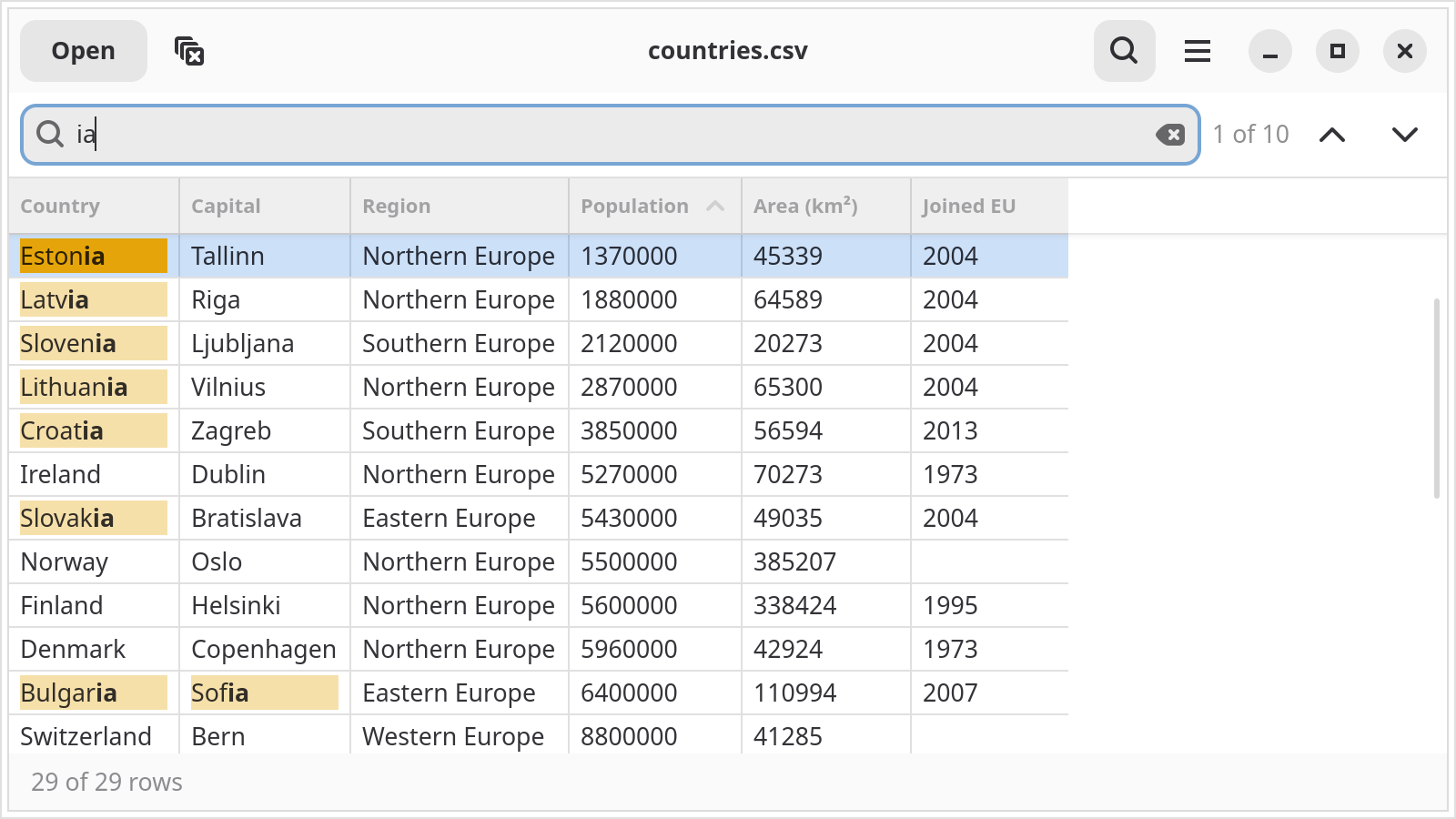
Reto — a CSV file sorted by a column, with the search matches marked.
Features
A viewer first: open a file and see your data.
Table with a header 📊
The first row becomes the column titles, the rest of the file is shown in a table.
Delimiter detection 🔎
Comma, semicolon, tab or pipe — Reto finds the delimiter by itself and ignores a byte order mark.
Sorting ↕️
Sort by any column. Columns that contain only numbers are sorted as numbers, not as text.
Filters 🎯
Filter a column with few distinct values, such as a status or a country. Reset the sorting and the filters with Ctrl+Shift+R.
Search 🔍
Press Ctrl+F, see the matches marked in the table and jump between them with F3 and Shift+F3.
Open anywhere 📂
Use the file chooser (Ctrl+O), drop a file on the window or pass it on the command line.
Installation

The easiest way to install Reto is via Flatpak from Flathub — available for any Linux distribution that supports Flatpak.
flatpak install flathub cz.zeropage.Reto
flatpak run cz.zeropage.Reto
Debian / Ubuntu
Reto needs libadwaita 1.8 or newer, so use a recent release (Debian 14, Ubuntu 26.04) or the Flatpak above. There is no package yet, build Reto from source:
sudo apt install build-essential meson valac git \
                 libgtk-4-dev libadwaita-1-dev

git clone https://github.com/ondratu/reto.git
cd reto
meson setup build
meson compile -C build
sudo meson install -C build
Other distributions
Reto is written in Vala and built with Meson. You need Meson, Ninja, valac, GTK 4 (>= 4.12) and libadwaita (>= 1.8) development files.
git clone https://github.com/ondratu/reto.git
cd reto
meson setup build
meson compile -C build
./build/src/reto
Install it system wide with meson install -C build.